
Easy Access is an ideal way for sending sensitive data to users who may not be very technical and/or do not have their own IronBox account. With Easy Access, users simply click a Web link and enter a password (if any) and they have instant access to data you’ve shared with them. Here’s how to get the Easy Access link for any secure package you create with IronBox.
- Log into your IronBox account.
- Select a secure package.
- (Method #1) Click the Share this Secure Package on the right-hand side.
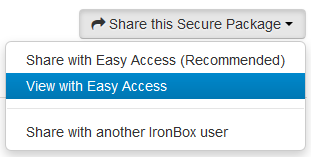
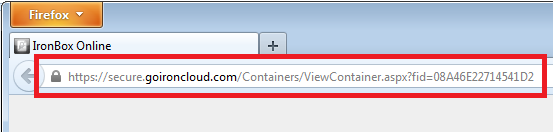
- If Easy Access is already enabled on the secure package selected, then there will be a View with Easy Access option. Select this option and copy the URL shown in the browser address bar.
- (Method #2) Click the Options button, select Easy Access Settings. The Easy Access will be shown in below in blue.

Comments
0 comments
Article is closed for comments.