
Follow the steps below to remove files from an existing IronBox secure package:
- Log into your IronBox account.
- Select a secure package.
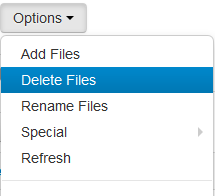
- Click the Options button and select Delete Files.
- Select the files to delete and click the Delete Selected button.
Comments
0 comments
Article is closed for comments.